

Two-sided dialogue with jump timestamps
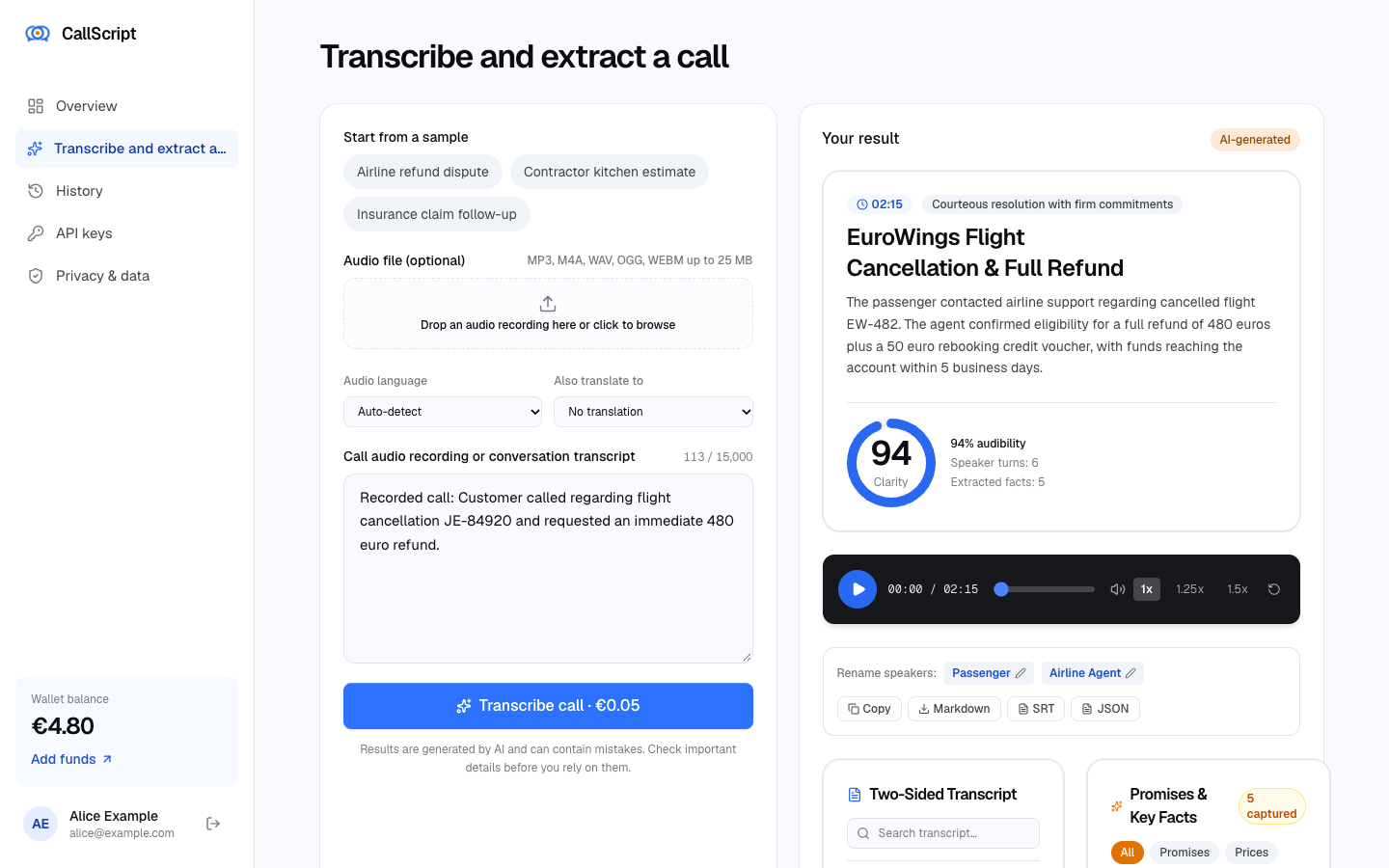
Scan both sides of the call like a clean messaging thread. Every line features a clickable minute-and-second timestamp.
Upload any recorded phone call. Get two-sided dialogue, clickable timestamps, and automatically extracted promises, numbers, and deadlines.
€0.05 per call analysis, charged only when the result is ready. Sign in with your Sensifai account.
Sample result
Airline refund dispute
Phone recording: Customer calling EuroWings desk regarding flight EW-482 cancelled due to technical failure. Agent verifies passenger details and confirms refund.
Key Commitments & Facts
Drop in a phone recording to get a clean two-sided transcript with clickable timestamps, editable speaker names, and extracted promises, prices, and deadlines. Pay per analysis from your Sensifai wallet.
Upload an audio file in MP3, M4A, WAV, OGG, or WEBM format, or paste a transcript. Up to 25 MB per recording.
The AI engine separates conversation participants, generates timestamped dialogue turns, and pulls out promises and key numbers.
Click any timestamp to inspect the audio moment, rename speaker labels inline across the whole script, and export clean files.
Scan both sides of the call like a clean messaging thread. Every line features a clickable minute-and-second timestamp.

Automatically isolates quoted prices, payment deadlines, verbal commitments, and confirmation codes in a dedicated panel.

When background static, traffic noise, or voice overlap obscures words, honest markers flag the gap rather than hallucinating text.
Everything in one place: run an analysis, review results, manage API keys and your data.
Create a key in the workspace and call one HTTPS endpoint. Each successful call costs €0.05 and is charged to your Sensifai wallet.
curl -X POST https://callscript.sensifai.com/api/v1/run \
  -H "Authorization: Bearer $API_KEY" \
  -H "Content-Type: application/json" \
-d '{"text":"Recording: Customer calling airline about flight cancellation JE-84920...","language":"auto","translateTo":"none"}'{
"id": "run_9a4b82c1",
"result": {
"title": "EuroWings Flight Cancellation & Full Refund",
"duration": "02:15",
"summary": "The passenger contacted airline support regarding cancelled flight EW-482. Full refund of 480 euros confirmed under claim RF-7729.",
"callTone": "Courteous resolution with firm commitments",
"overallClarityScore": 94,
"speakers": [
{
"id": "spk-1",
"defaultName": "Passenger",
"role": "Caller"
},
{
"id": "spk-2",
"defaultName": "Airline Agent",
"role": "Support Representative"
}
],
"dialogue": [
{
"id": "d-1",
"speaker": "Passenger",
"timestamp": "00:04",
"seconds": 4,
"text": "Hello, my morning flight EW-482 was cancelled this morning."
},
{
"id": "d-2",
"speaker": "Airline Agent",
"timestamp": "00:14",
"seconds": 14,
"text": "Good morning. Let me look up your booking right away."
}
],
"facts": [
{
"id": "f-1",
"category": "amount",
"label": "Refund amount of €480",
"speaker": "Airline Agent",
"timestamp": "00:35",
"seconds": 35
},
{
"id": "f-2",
"category": "reference",
"label": "Refund claim ticket: #RF-7729",
"speaker": "Airline Agent",
"timestamp": "00:54",
"seconds": 54
}
]
},
"charge": {
"amountEur": 0.05,
"currency": "EUR"
}
}Your Sensifai wallet covers this app and every other app on the marketplace.
No. Your audio recording and transcripts are processed purely in memory and are never stored on our disks or databases. Only the timestamp, cost, and usage event are logged for billing.
The AI engine analyses vocal turn-taking and conversational context to separate Speaker 1 and Speaker 2 cleanly into two-sided chat bubbles.
CallScript inserts honest inaudible markers with timestamps rather than guessing or inventing speculative words.
Yes. You can edit speaker names inline at any time and export the dialogue to TXT, Markdown, SRT subtitles, or JSON with one click.
Only after your structured result is ready. If an upload or analysis fails, nothing is charged.